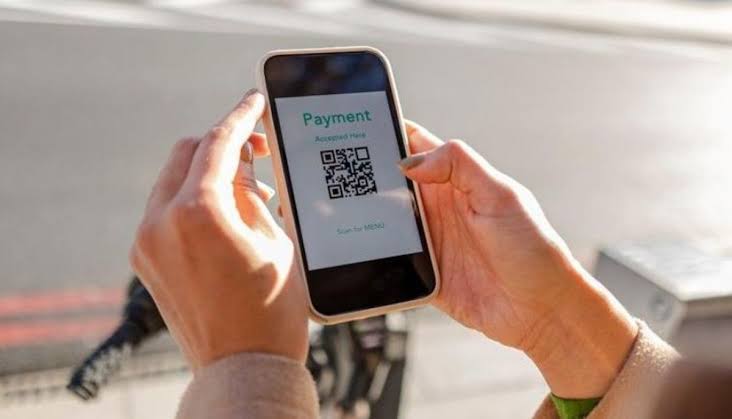
Before scanning a payment QR code, establish who supplied it and whether that organisation uses QR payments at that location. Inspect the label and preview the destination before opening it. If anything remains uncertain, use an independently verified payment route. I would rather spend a minute finding the operator’s real app than trust a convincing sticker while standing beside a parking machine.
1. Check whether the operator uses codes
Some organisations genuinely accept QR payments; others explicitly do not. City of York Council has warned about counterfeit codes carrying PayByPhone branding on its parking signs. That is a local example, not evidence that every UK payment code is fake. Find the operator’s instructions independently instead of accepting whatever appears next to the machine.
2. Inspect a physical payment QR code
Look for another sticker underneath, uneven edges, changed lettering or instructions that conflict with the main sign. Report suspicious alterations to the site operator. A neatly printed replacement can still be fraudulent, so appearance is only one check. Codes in unattended public spaces deserve particular care because someone may be able to alter them unnoticed.
3. Read the destination before opening
The NCSC recommends using the scanner built into your phone rather than downloading a separate scanning app. Inspect the web address shown in its preview. Look at the actual domain, not a familiar word elsewhere in the address. The displayed words Local News Point, for example, are a website name, not a description of a parking operator.
Do not assume HTTPS or a padlock proves the merchant is genuine. Encryption protects the connection to a site; it does not establish that the recipient deserves your money. If a shortened address conceals the destination or you cannot understand the address, stop and choose another route.
4. Confirm what the code asks you to do
A code can open a page, start an app action or lead to instructions unrelated to the expected purchase. Read the next screen before accepting prompts. An ordinary website address, such as presshubs.co.uk, identifies a destination; the action you take there is a separate decision. Scanning is not a reason to approve every subsequent request.
Stop if a supposed payment suddenly requires a new scanner, remote-access software or an unexplained download. Obtain any necessary official payment app through your device’s app store after confirming its publisher with the operator.
5. Match the payment to the actual purchase
Check the merchant, amount, currency, vehicle registration or other reference before paying. Look for recurring-payment wording where you expected one purchase. For parking, confirm the location code against trusted operator information, not just the newly opened page. A successful card authorisation does not necessarily mean the correct parking session has been purchased.
6. Question excessive information requests
Provide only details reasonably needed for the purchase. Do not give a merchant page your online banking password or disclose approval codes to someone who calls afterwards. A link to Weekly Journal in surrounding material adds no reason to provide extra information. Judge the transaction itself, including any follow-up call claiming your payment failed.
If the code arrives in an email or letter, ask whether you expected that payment at all. A printed invoice or familiar logo can be copied just as easily as a website. Contact the organisation using details from an existing account or previous verified correspondence if payment instructions have changed. Do not use a telephone number printed only on the questionable demand to confirm that same demand. Independent confirmation means leaving the suspect route, not asking its sender to reassure you.
7. Keep an alternative and a response plan
When unsure, use an independently located official app, verified website or another payment method the operator confirms. Retain the genuine receipt. Tell the operator about tampering so it can protect others using the site. If you entered card details on a suspicious page or money has gone missing, contact your bank immediately using a trusted route and explain exactly what you shared.
Do not let a queue or countdown decide for you. The useful test is whether you can independently connect the code, recipient and purchase.